Lucky Music
- 3.8
- Rating
- 500.00K
- Installs
- Free
- Price

 Analysis by App-foxy
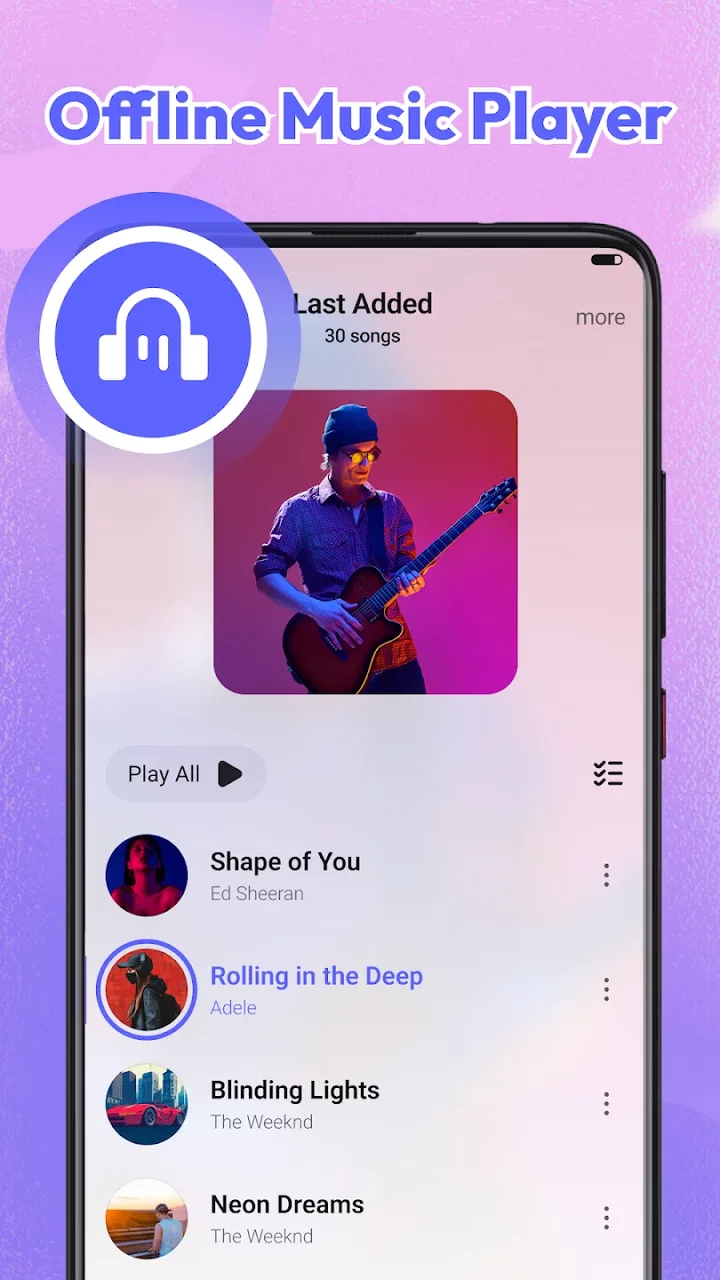
I approached Lucky Music as a straightforward music and audio app for people who want to keep listening without depending on a constant connection. Its promise is simple, but simple audio tools can be surprisingly useful when they fit a particular routine. After spending time with it, my impression is that it makes the most sense for listeners who value an uncomplicated offline experience more than a large ecosystem of discovery, social tools, or premium extras.
The app is free, developed by Lucky-Tech Limited, and available for Everyone. It has reached over 500 thousand installs, with an average rating of 3.8 from around 1.3 thousand ratings. Those figures suggest a product with a real audience, although not one that has earned universal approval. I would treat it as a practical player to try rather than an automatic replacement for a mature streaming service.
What the app is really trying to do
The most important thing to understand is the difference between an offline audio player and a streaming platform. Lucky Music is positioned around listening to audio already available on your device, rather than making a huge online catalog the center of the experience. That distinction changes what you should expect before installing it.
You May Also Like

 Pandora - Music & Podcasts
Pandora’s Music Is Easy to Start, but Harder to Recover
Pandora’s strength is its low-effort path from a seed to a station. Its weak spot is how much confidence it asks you to place in connection, setup, and quiet recovery.

 8 Ball Pool
 Is Built on Rivalries, Rematches, and Routine
A close look at the rivalries, rematches, shared routines, and unanswered safety questions that turn a quick pool match into a persistent mobile community.

 Samsung Music
’s Quiet Strength Is Playing What You Already Own
Its reach comes less from spectacle than from dependable access to a personal library. That simplicity is both the app’s strongest retention engine and its ceiling.

 AccuWeather: Weather Radar
AccuWeather Review: A Quick, Clear Forecast for Everyday Decisions
For everyday plans, the best forecast is the one you can understand quickly. AccuWeather makes rain timing, radar, and local conditions easy to act on, with a few trade-offs.

 Hill Climb Racing
Why Hill Climb Racing Still Turns Crashes Into One More Run
A tiny car, a bumpy hill and one more upgrade: Hill Climb Racing keeps resurfacing because its simple chaos makes every near-miss feel personal.

 AliExpress - Shopping App
AliExpress Makes Global Shopping Feel Personal, but Shoppers Bear the Risk
AliExpress turns a global marketplace into a pocket-sized discovery engine. Its reach is useful, its shopping loop compelling, and its trade-offs easy to miss.
More From Our News Desk
View All News


If your music is already stored locally, the app can be a convenient place to bring it together and play it without using mobile data. That is useful on commutes, during travel, in places with unreliable reception, or whenever you want to avoid buffering. It also suits people who prefer keeping their listening habits separate from a subscription service.
On the other hand, I would not choose it as my main tool if I expect instant access to every popular release, algorithmic recommendations, synchronized playlists across several devices, or a deep artist-discovery system. Those are usually the strengths of streaming platforms, while an offline-focused player earns its place through control and simplicity.
The current release is version 1.0.5, and the app was released on March 27, 2026. That relatively early position matters when judging the experience. I found it more helpful to assess whether its central job is convenient than to expect the breadth and polish of an audio service that has been expanding for years.
Where it fits in an everyday routine
A realistic example is a long train journey. Before leaving, I would make sure the audio I want is already available on the phone, open the player, and start listening with the connection turned off. That workflow avoids the uncertainty of a weak signal and makes battery and data planning easier. The appeal is not dramatic; it is the quiet reliability of having something ready when the network is not.
Another good use is a personal collection of recordings, albums, or downloaded audio that does not belong neatly inside a streaming library. People who have organized files over time may appreciate a dedicated place to play them instead of switching between a file manager and a basic system player.
There is also a useful privacy angle in the routine itself: listening to files stored on your device does not require you to search for every track online. Still, I would not turn that observation into a broad privacy guarantee. The sensible approach is to examine the permissions and privacy choices shown on your own device before granting access.
Getting started without giving away too much control
My advice is to begin with the smallest setup possible. Install the app, review every permission request in context, and only allow access that is clearly needed for the audio files you intend to play. If the operating system presents a choice between broader media access and a more limited selection, I would choose the narrower option when it works for your collection.
This is especially important for a music player because the first permission screen can shape the entire trust relationship. A listener should know whether the app needs access to audio files, notifications, or anything else before proceeding. If a request feels unrelated to playback, pause and check the wording rather than accepting automatically.
That habit is more valuable than relying on a reassuring description. App trust is built from visible choices: what the operating system asks, what the app explains, whether settings can be changed later, and whether you can remove access when you stop using it.
Offline listening is useful, but it has boundaries
The offline idea sounds broad, yet it does not mean every kind of audio becomes available without preparation. You still need to have the files or content ready on the device first. Someone expecting the app to replace the download function of a streaming subscription could be disappointed.
This is one of the main trade-offs. A local player can be more predictable once your collection is prepared, but preparation takes responsibility. You need to manage storage, keep files organized, and remember that moving or deleting source files may affect what the player can access.
I also recommend separating your listening folders by purpose. For example, keeping spoken audio apart from music makes browsing less frustrating and reduces the chance of starting the wrong item when you are in a hurry. This is a small organizational step, but it makes an offline player feel much more dependable.
How I would judge the interface
For this kind of app, the interface should get out of the way. The key questions are practical: can I find my local audio quickly, can I identify what is playing, and can I return to playback without digging through unrelated screens? A player that looks attractive but makes those actions slow is not doing its main job well.
I would also pay attention to how the app handles an imperfect library. Real phones contain duplicate files, incomplete names, old downloads, and recordings with inconsistent metadata. If your collection is tidy, the experience should feel easier. If it is messy, the quality of the library view and sorting controls becomes much more important than the store summary suggests.
My useful tip here is to clean the most frequently played folders before blaming the app for a confusing list. Rename files consistently, remove duplicates, and group long recordings separately. That workflow improves any local player, but it is particularly relevant when the app’s value depends on the material already stored on your phone.
Trust begins with permissions and data choices
Because Lucky Music handles audio on a personal device, I would review its access carefully rather than assuming that every request is harmless. The meaningful question is not simply whether the app is free. It is whether you understand what you are allowing and can change that decision later.
On Android, the permission manager gives you a useful checkpoint. Look at the app’s current permissions after setup, not only the initial prompt. If an access right is no longer necessary for your routine, revoke it and see whether the core playback task still works. That test gives you a clearer picture of how much control you retain.
I would use the same cautious approach with notifications and any account-related prompt. An offline player should not be treated as automatically account-free just because its main purpose is local playback. If the app offers a sign-in screen, read what the screen is asking you to do and decide whether the benefit is worth adding another account to your routine.
There is no advantage in granting broad access merely to get through setup faster. A few extra seconds spent reading a permission explanation can prevent an uncomfortable surprise later. If the wording is unclear, I would keep access limited until the reason becomes clear through normal use.
Data-sensitive moments to watch
The most sensitive moment is usually the first library scan. A music app needs some way to identify playable audio, but the scope of that access matters. I would check whether the operating system lets me select particular media or folders instead of exposing the entire device, and I would revisit that choice if my collection changes.
Another moment is when an app asks for anything beyond the obvious playback workflow. A request involving contacts, location, the microphone, or unrelated personal information would deserve extra scrutiny. I am not claiming that Lucky Music requests those things; I am describing the standard boundary I would apply before approving access in a data-sensitive app.
Storage is also part of the privacy conversation. Offline audio can occupy meaningful space, especially when a phone contains several collections. Keeping only the folders you actively use reduces clutter and makes it easier to understand what the player can see. It also makes removing the app cleaner because you know which files belong to you and which were created for other purposes.
When I finish testing an app, I like to review its permissions one more time, clear access that is not needed, and check whether any account or notification settings remain enabled. This is a practical habit, not an accusation. It gives the user a record of the choices made during setup.
Who will appreciate the free model
Lucky Music is free, which lowers the barrier to trying it with a small, well-organized collection. That is valuable for students, travelers, listeners with limited data plans, and anyone who wants a basic offline player without committing to another subscription.
The free price also makes it suitable as a secondary player. You can keep a streaming service for discovery and use this app for local recordings or files that are not part of that service’s catalog. In that arrangement, it does not need to replace anything; it simply handles a different part of your listening life.
Still, free does not automatically mean frictionless. I would judge the app by how much attention it demands, including permission decisions, library organization, and any interruptions during playback. If the experience becomes cluttered or asks for controls that do not feel relevant, a cleaner system player may be preferable even if it offers fewer features.
Who should probably skip it
I would skip this app if your main goal is discovering new releases through a large online catalog. It is also a poor fit for someone who expects their playlists, listening position, and library to remain perfectly synchronized across several devices without manual preparation.
People who rely heavily on advanced audio tools should be cautious too. If you need specialized equalizer controls, extensive metadata editing, collaborative playlists, or a sophisticated podcast workflow, you should compare those requirements with the actual controls visible in the installed app rather than assuming that an offline label includes them.
It may also be the wrong choice for a listener who does not keep audio files locally. Without a prepared collection, the central advantage becomes less meaningful. In that case, a conventional streaming service may be more convenient because its catalog and downloads are managed inside the same ecosystem.
How it compares with the usual alternatives
Compared with a phone’s built-in music player, Lucky Music may appeal if you want a separate app dedicated to your audio routine. The benefit is focus: your local listening can have its own place instead of sharing space with other media tools. The drawback is that you are adding another app with its own permissions and interface to maintain.
Compared with a streaming service, the trade-off is clearer. Lucky Music favors files you already control and listening that does not depend on an online catalog. Streaming services usually win for discovery, editorial playlists, and convenience when you want something you do not already own or store locally.
Compared with a more established third-party local player, the decision depends on what you value. A mature alternative may provide deeper customization or more detailed library management, while this app may be attractive if its simpler approach feels easier to understand. I would test the same small folder in both apps and compare startup time, browsing, permission comfort, and how quickly you can resume playback.
Small workflows that make the experience better
My first recommendation is to create a “ready to play” folder containing only the audio you genuinely want available offline. This avoids scrolling through old files and gives the app a cleaner library to work with. It is especially useful before a trip, when you want to verify your collection in advance rather than discovering missing items after leaving home.
Second, keep a separate folder for temporary audio. If you mix short-lived downloads with your permanent collection, the library becomes harder to maintain and storage can disappear unnoticed. A temporary area makes it easier to remove material after a journey without touching the files you want to keep.
Third, test playback with connectivity disabled before relying on the app. Start with a few representative files, including a longer recording, and confirm that the routine you need works without a network. This is a more reliable check than assuming that an offline-focused description guarantees every file will behave identically.
Finally, review the app’s access after you have finished organizing the library. If you selected a broad media permission during setup, see whether a narrower choice is available now. That gives you a practical balance between convenience and control instead of treating privacy as an all-or-nothing decision.
What I would check before making it my daily player
I would spend a few days using the app in the situations that matter most: with the phone offline, with headphones, while switching away and returning, and with the screen locked if that is part of your routine. The point is not to chase a perfect benchmark. It is to see whether the app remains predictable when used casually rather than only during a short first launch.
I would also check how comfortable I feel managing access over time. Can I understand which folders the app can read? Can I revoke permissions without losing unrelated phone functions? Can I remove the app without confusion about my personal audio files? These questions are more practical than a generic statement that an app is private or secure.
The rating of 3.8 from around 1.3 thousand ratings gives me a moderate expectation: enough public use to make the app worth examining, but not enough reason to overlook individual friction. I would read recent user comments alongside my own testing, looking for repeated complaints about library handling, interruptions, or permissions rather than treating the average as a final verdict.
My cautious verdict
Lucky Music is worth trying if you want a free way to handle locally available audio and your priority is listening without relying on a live connection. I like the basic direction because it serves a clear routine: prepare your files, keep access under control, and use the phone as the source of playback.
My recommendation is conditional rather than enthusiastic for everyone. The app is a sensible fit for offline listeners, travelers, and people who want a separate home for personal audio. It is not the right answer for streaming-first users, deep music explorers, or anyone who expects a full account-based ecosystem with advanced sharing and discovery.
The best reason to install it is not the promise of replacing every music service; it is the practical control of a prepared local collection. Start with limited permissions, test a small folder while offline, and decide whether the library feels comfortable before moving your whole listening routine into it. That cautious approach lets the app prove its value without asking you to surrender more access or convenience than you actually need.
For Android users on version 7.0 or later, the free entry point makes that experiment easy. Just keep your expectations grounded: this is an offline audio tool from Lucky-Tech Limited, not a universal answer to every music need. Used for the job it appears designed to handle, it can be useful; judged as a replacement for a complete streaming platform, it is much less convincing.
FAQs for Lucky Music
01What is Lucky Music and what does it offer?
Lucky Music is a versatile music streaming app designed for both casual listeners and audiophiles. It offers an extensive library of tracks across various genres, personalized playlists, and high-quality audio streaming. Additionally, users can download songs for offline listening and explore curated playlists tailored to their tastes.
02Is Lucky Music free to use, or does it require a subscription?
Lucky Music offers both free and premium subscription options. The free version includes ads and some limitations on features. The premium subscription removes ads, provides unlimited skips, and allows for high-definition audio streaming and offline downloads. Users can choose the plan that best suits their needs.
03Can I use Lucky Music offline?
Yes, Lucky Music allows users with a premium subscription to download songs and playlists for offline listening. This feature is perfect for those who want to save on data usage or listen to music in areas with poor internet connectivity. Simply download your favorite tracks and enjoy them anywhere, anytime.
04Does Lucky Music support multiple devices?
Lucky Music supports multiple devices and platforms, including both Android and iOS. Users can seamlessly switch between devices and continue their listening experience without interruption. The app also offers a synchronized library, ensuring that your playlists and preferences are always up to date across all your devices.
05How does Lucky Music personalize my listening experience?
Lucky Music uses advanced algorithms and user data to offer a personalized listening experience. It curates playlists based on your listening history, preferences, and liked songs. Additionally, the app provides daily recommendations and new releases that align with your musical interests, making discovery easy and enjoyable.
Pros
- User-friendly interface for easy navigation.
- Extensive library with diverse music genres.
- Offline mode for listening without internet.
- High-quality audio streaming options.
- Customizable playlists for personalized experience.
Cons
- Ads can be intrusive during use.
- Subscription required for premium features.
- Limited free version features available.
- Occasional app crashes reported by users.
- Some tracks unavailable in certain regions.

Lucky Music
Gallery